A salary number isn’t the real cost. Zencount turns each role into fully-loaded monthly cost using the inputs you’d expect — and shows the math on the roster so you can sanity-check it.
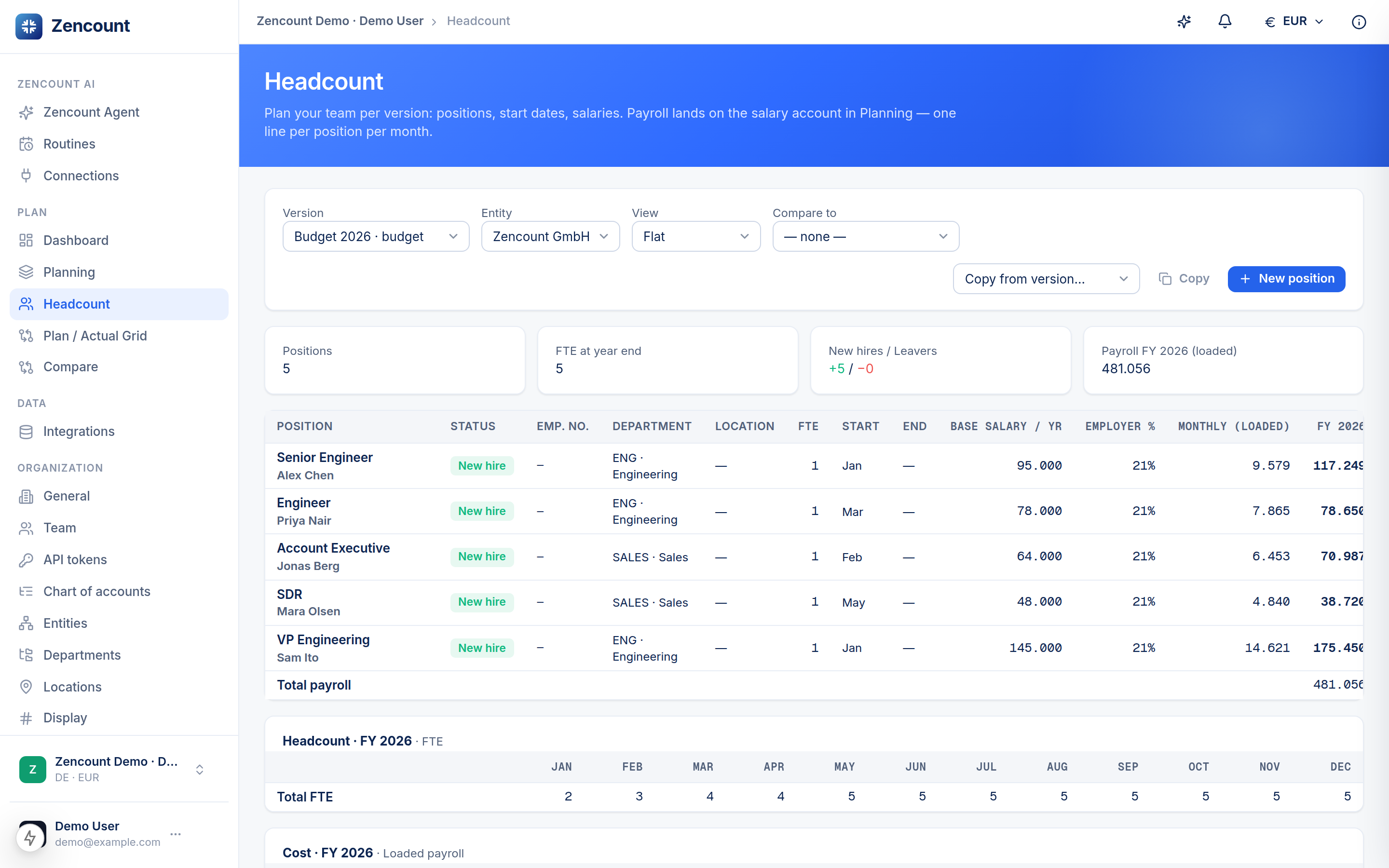
The inputs per role
- Base salary (annual) in the entity’s currency.
- Employer cost % — on top of base for taxes/benefits (a location can set a default).
- FTE — scales the cost for part-time roles.
- Start / end period — cost only accrues while the role is active.
- Raise % from a chosen month — model a mid-year bump.
Currency always follows the entity’s functional currency — a model invariant, so loaded cost never silently mixes currencies.
What you see
The roster shows base salary, employer %, monthly loaded cost and the full-year total, plus an FTE-by-month timeline — so a ramp (hire in March, raise in July) is obvious at a glance.
Next steps
- Plan your headcount.
- Departments & locations for cost-center and site defaults.